
Call us now :08037735855
 Send Inquiry
 Send Inquiry
4 Port Usb 3.0 Hub
Price 150 INR/ Piece
MOQ : 50 Pieces
4 Port Usb 3.0 Hub Specification
- Part
- 4 Port USB 3.0 Hub
- Installation Guideline
- Plug and play, no driver required for most devices
- Tolerance
- Standard electronic tolerance
- Technique
- Surface mount technology PCB
- Product Type
- USB Hub
- IP Rating
- Not Rated
- Temperature
- Operating: 0C to 60C, Storage: -20C to 70C
- Brand Name
- Generic / OEM
- Input Voltage
- 5V DC from host device
- Processing
- Injection molded casing
- Equipment Type
- Peripheral / Accessory
- Usage
- Expanding USB 3.0 ports on PC, laptop, MacBook, etc.
- Service Period
- 12 months from date of purchase
- Mounting Type
- Desktop / portable
- Thickness
- Casing approx. 2 mm
- Surface Treatment
- Textured finish, anti-scratch
- Supply Voltage
- 5V DC (via USB connection)
- Size
- Approx. 100 mm x 35 mm x 20 mm
- Finish
- Matte
- Color
- Black (may vary depending on brand)
- Standard
- USB 3.0, backward compatible with USB 2.0/1.1
- Application
- Connect up to 4 USB devices (mouse, keyboard, flash drive, printer, etc.)
- Material
- ABS Plastic housing, electronic components
- Process
- Precision assembled PCB and connectors
- Design
- Compact rectangular, 4 uplink USB 3.0 ports
- Weight
- Approx. 45g
- Dimension (L*W*H)
- 100 mm x 35 mm x 20 mm
- Humidity
- 5% to 90% non-condensing
- Output Voltage
- 5V DC (USB interface)
- Model No
- USB-3.0-4P-HUB
- Operating System Support
- Plug and play, driverless for most operating systems
- Data Transfer Rate
- Up to 5Gbps (SuperSpeed USB 3.0)
- Current Output per Port
- Max 900mA (depends on host device)
- Power Delivery
- No external power required for low power devices
- Shock Resistance
- Lightweight and impact resistant
- Overcurrent Protection
- Integrated electronic protection
- Cable Length
- Approx. 30 cm (may vary by model)
- Backward Compatibility
- Supports USB 2.0/1.1
- Number of Ports
- 4 USB 3.0 Type-A ports
- LED Indicator
- Integrated blue LED for power/activity
- Hot Swappable
- Yes
- Operating Method
- Bus-powered
- Cable Material
- TPE insulated copper
- Compatibility
- Windows, macOS, Linux, OTG supported Android devices
- Device Support
- Supports mouse, keyboard, USB flash drive, HDD, SSD, webcam, printer, and more
- Connector Type
- USB 3.0 Type-A male (input), 4 x USB 3.0 Type-A female (output)
4 Port Usb 3.0 Hub Trade Information
- Minimum Order Quantity
- 50 Pieces
- Payment Terms
- Cash in Advance (CID)
- Supply Ability
- 1000 Pieces Per Month
- Delivery Time
- 2-10 Days
- Main Domestic Market
- All India
About 4 Port Usb 3.0 Hub
Buy the transcendently meritorious 4 Port USB 3.0 Hub-your gateway to lustrous data transfer speeds up to 5Gbps. Designed with a compact matte finish and shock-resistant ABS casing, this rare USB expansion accessory offers four super-fast uplink ports for a limited time only. Compatible with Windows, macOS, Linux, and OTG Android devices, it integrates overcurrent protection and blue LED indicators. Scarce in supply, its plug-and-play design ensures a seamless connection for all your peripherals. Expand your digital potential-act before this exclusive offer disappears!
Versatile Usage and Application of 4 Port USB 3.0 Hub
Easily expand the connectivity of your PC, laptop, MacBook, or Android device with the 4 Port USB 3.0 Hub. Designed for specific usage in busy workspaces or homes, it is ideal for connecting up to four devices simultaneously, like a mouse, keyboard, USB drive, or printer. Its application spans professional, educational, and personal environments, making it a versatile tool for anyone requiring organized, high-speed data transfer without the need for extra drivers or external power.
Global Export Market, Attractive Packaging & Samples Available
This 4 Port USB 3.0 Hub is available for export market distribution, catering to wholesale, retail, and online sectors globally. Take advantage of the lowest sale price for bulk orders, ideal for resellers and traders. Each unit is packaged securely to ensure safe transit and attractive presentation. Sample units are available upon request, allowing buyers to evaluate quality before purchasing in large quantities-making this a valuable proposition for cost-conscious buyers seeking quality peripherals at competitive prices.
Versatile Usage and Application of 4 Port USB 3.0 Hub
Easily expand the connectivity of your PC, laptop, MacBook, or Android device with the 4 Port USB 3.0 Hub. Designed for specific usage in busy workspaces or homes, it is ideal for connecting up to four devices simultaneously, like a mouse, keyboard, USB drive, or printer. Its application spans professional, educational, and personal environments, making it a versatile tool for anyone requiring organized, high-speed data transfer without the need for extra drivers or external power.
Global Export Market, Attractive Packaging & Samples Available
This 4 Port USB 3.0 Hub is available for export market distribution, catering to wholesale, retail, and online sectors globally. Take advantage of the lowest sale price for bulk orders, ideal for resellers and traders. Each unit is packaged securely to ensure safe transit and attractive presentation. Sample units are available upon request, allowing buyers to evaluate quality before purchasing in large quantities-making this a valuable proposition for cost-conscious buyers seeking quality peripherals at competitive prices.
FAQ's of 4 Port Usb 3.0 Hub:
Q: How do I install and set up the 4 Port USB 3.0 Hub?
A: Simply connect the USB 3.0 Hub to your computer or OTG-compatible Android device-no driver installation is required for most operating systems. It's a straightforward plug-and-play process.Q: What types of devices can I connect to this USB hub?
A: You can connect a variety of USB devices including mice, keyboards, flash drives, external HDDs, SSDs, printers, web cameras, and more for expanded functionality.Q: When should I use a 4 Port USB 3.0 Hub?
A: Whenever you need to connect multiple USB devices to a computer or laptop with limited available USB ports, or when you require super-speed data transfers up to 5Gbps.Q: Where can I use this USB hub efficiently?
A: This hub is efficient for use in offices, homes, academic institutions, and while traveling, enabling convenient device connection on desktops, laptops, or even compatible Android devices.Q: What are the benefits of using this USB 3.0 hub over older versions?
A: The main benefits are higher data transfer rates (up to 5Gbps), backward compatibility with USB 2.0/1.1, improved reliability, and support for up to four devices simultaneously.Q: Is there any special process to switch between connected devices?
A: No special process is needed. All connected devices are hot swappable, allowing you to plug or unplug devices without restarting your computer.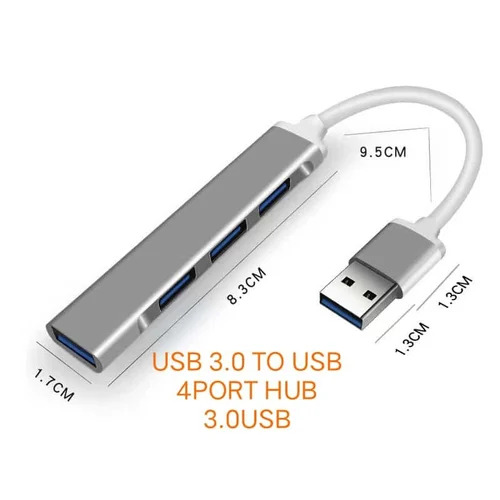
Tell us about your requirement

Price:
Quantity
Select Unit
- 50
- 100
- 200
- 250
- 500
- 1000+
Additional detail
Mobile number
Email

More Products in HDMI Cables Category
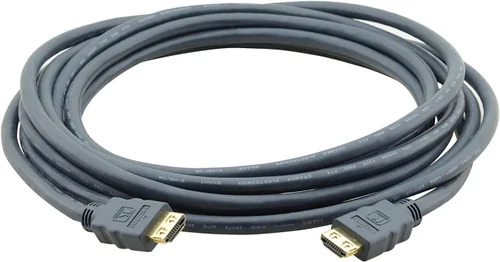
Kramer Hdmi Cable
Price 6750 INR / Piece
Minimum Order Quantity : 50 Pieces
Product Type : HighSpeed HDMI Cable
Material : GoldPlated Connectors, HighQuality Copper Conductor
Size : 3 Meter
Usage : Audio/Video Signal Transmission
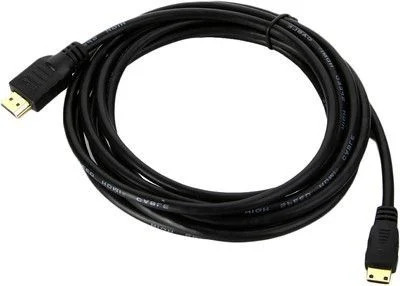
Stackfine Heavy Duty 4K HDMI Cable
Price 125 INR / Piece
Minimum Order Quantity : 50 Pieces
Product Type : HDMI Cable
Material : Copper (internal), Heavy Duty PVC (jacket)
Size : 1.5 Meter
Usage : Video/Audio Transmission
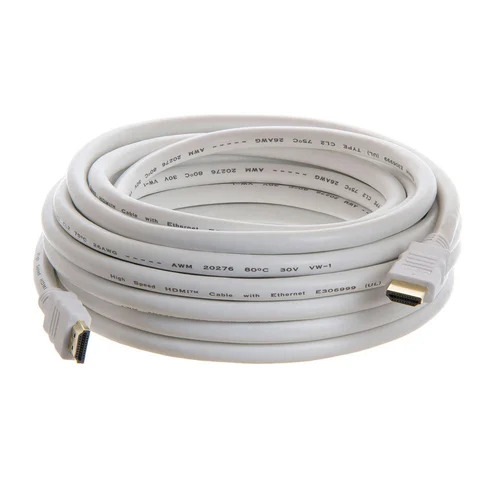
White HDMI Cable
Price 100 INR / Piece
Minimum Order Quantity : 50 Pieces
Product Type : Standard HDMI Cable
Material : PVC
Size : 1.5 m
Usage : For HDTV, projector, monitor
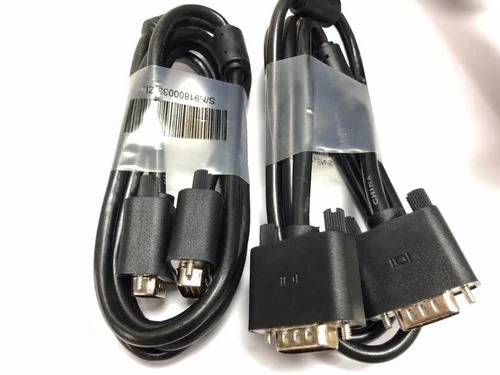
Computer Vga Cable
Price 60 INR / Piece
Minimum Order Quantity : 50 Pieces
Product Type : Computer VGA Cable
Material : PVC
Size : Standard VGA length
Usage : Computer

 Send Inquiry
Our Products


Office No. 111, Velencia Paradise, Chunam Lane Lamington Road, Opposite Gandhi Bhuvan,Mumbai - 400007, Maharashtra, India

Mr. Ajay H Gandhi
(Proprietor)
Mobile :08037735855
 Send Inquiry
Developed and Managed by Infocom Network Private Limited.
